< back to main

// k-rosspointSender LIVE

k-rosspointSender takes a web article, a Wikipedia page, pasted text, or a whole pack of linked Wikipedia articles, cleans it down to the reading, builds an EPUB tuned for a small e-ink screen, and sends it straight to a CrossPoint reader over Wi-Fi. No account, no backend, nothing leaves your machine except the article fetch and the transfer to your reader.

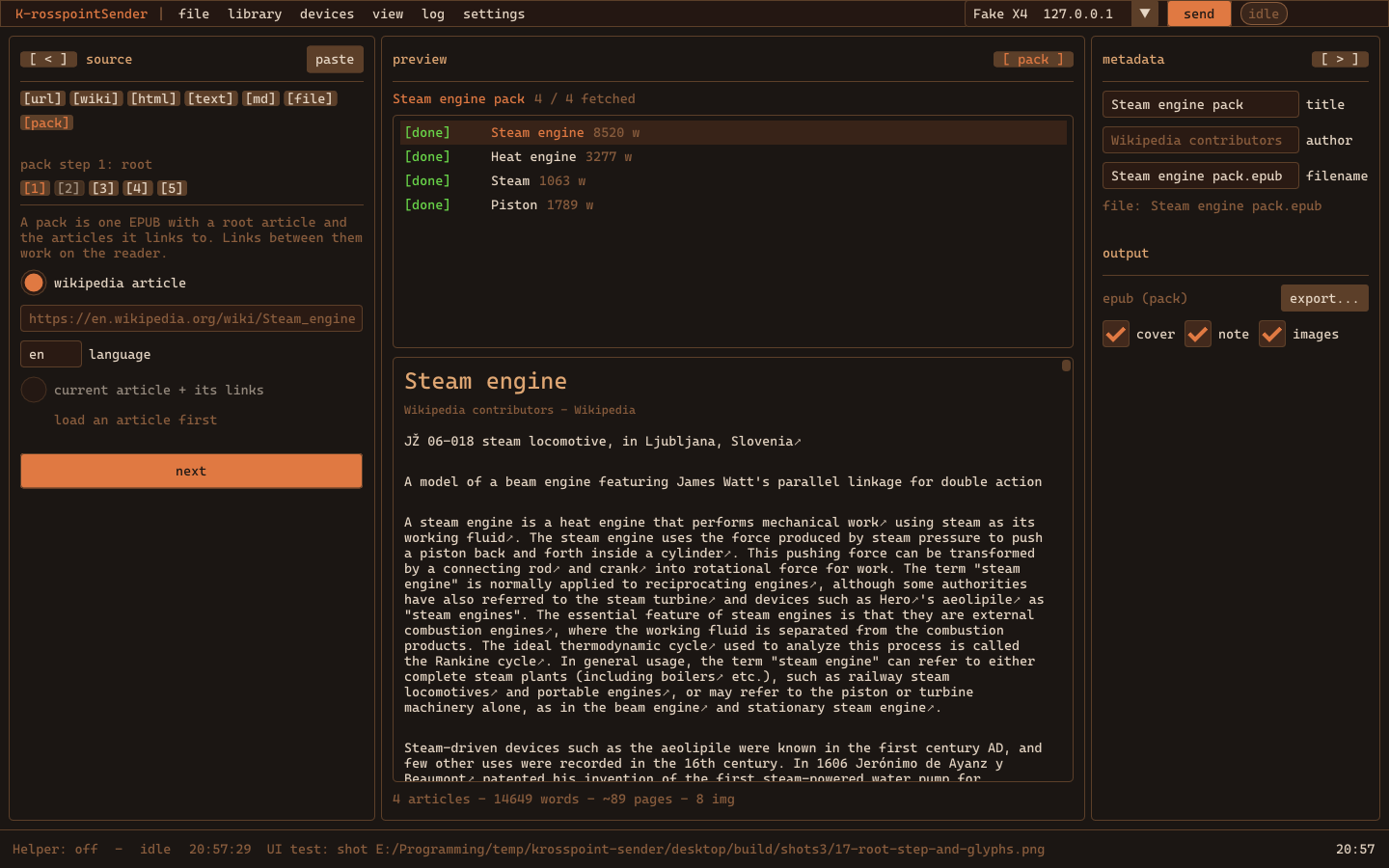
k-rosspointSender — a spider pack on the desktop app

I bought an Xteink X4 Pro — a $99 pocket e-ink reader the size of a phone — and put the open CrossPoint firmware on it. It's a lovely little thing to read on. The gap is getting reading onto it: the stock path is Calibre or dragging files over USB, and neither is how I actually find things to read, which is "open tab, think I'd read that on the couch, close tab, forget." This closes that gap. Paste the URL, press send, pick up the reader.

## // TWO APPS, ONE DESIGN //

Open the web app → — runs in the browser as a static page. Paste HTML or text, drop a file, fetch a URL where the site allows it, or use the bookmarklet where it doesn't. Wikipedia goes through the MediaWiki API, so it always works. Everything is cached in your browser, nothing is sent to this site.

Desktop app (Windows, portable, below) — the same pipeline as a native SDL2 + Dear ImGui app, with the browser's limits gone: it fetches any URL, finds the reader on the LAN by itself, sends over Wi-Fi without the HTTPS-to-local-device block, and acts as a local helper for the web app so the hosted version can send through it. Drop a link on the window and it starts.

Browsers block a page served over HTTPS from talking to a device on http://192.168.x.x. That's by design, but there's a clean way around it: the web app is one file, so press Save an offline copy (or grab the download below) and open it from your disk. A page opened from disk isn't HTTPS, and the Wi-Fi send just works — Chrome, Edge and Firefox. Failing that: download the EPUB, write it to the reader's USB folder, or let the desktop app do the sending.

## // WHAT IT DOES //

Cleanup. Readability-style extraction. Ads, navigation, cookie banners, comments, related-article junk, scripts and trackers go. Title, author, date, source URL, headings, paragraphs, images, captions, code and simple tables stay. Everything is sanitized against an allowlist before it becomes a book.

Wikipedia mode. Infoboxes, navboxes, edit links, hatnotes and the reference sections are stripped by default; keep the infobox or the references with a toggle. The result reads like a chapter, not a web page.

EPUB for e-ink. A title page, a table of contents, the cleaned body, a source note, and metadata. Images come out as grayscale baseline JPEG at 480 px — the only thing CrossPoint's renderer will draw. Four presets (Compact, Comfortable, Large Text, Reference) and the usual knobs. Every generated file passes epubcheck.

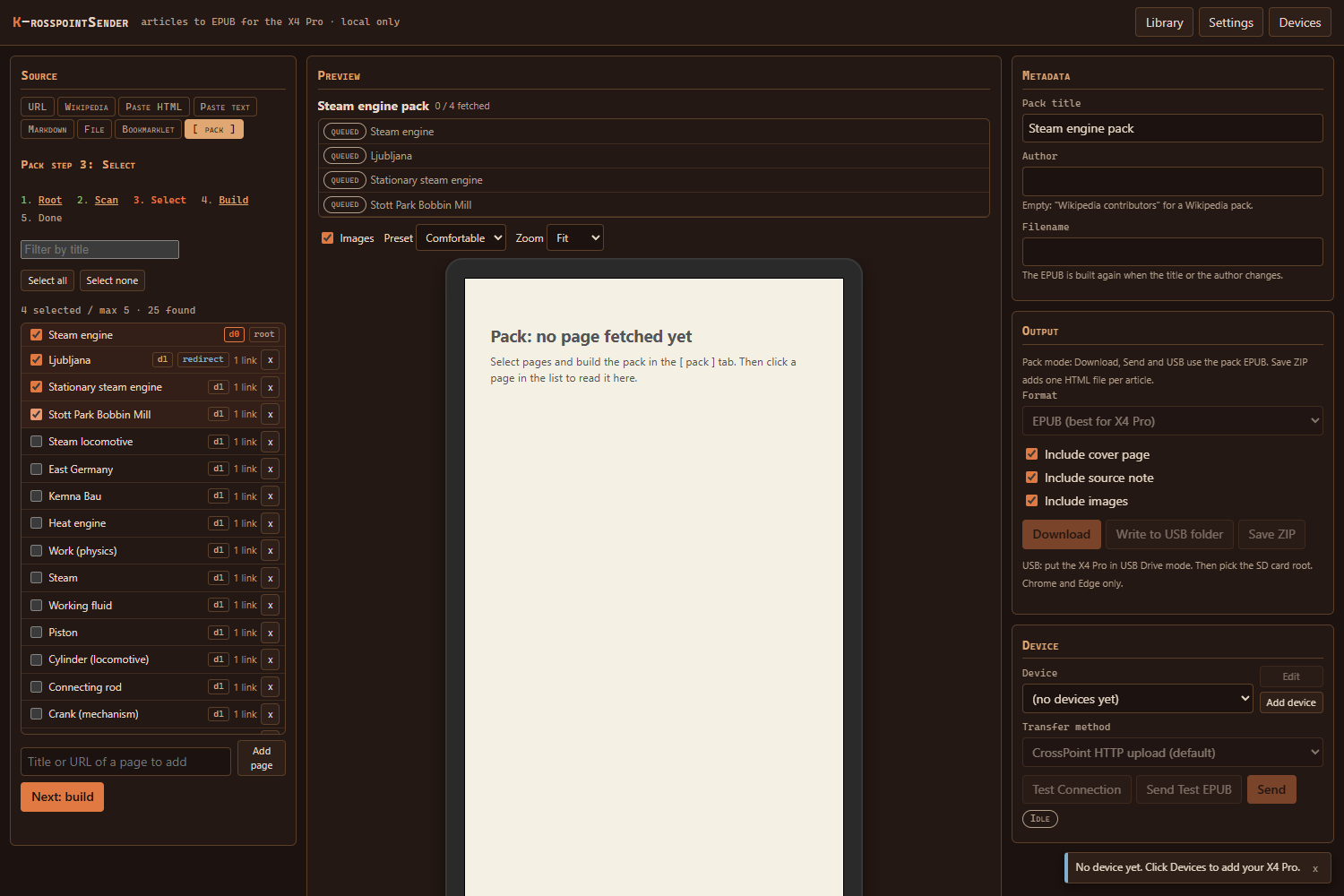
Spider packs. Start from one Wikipedia article, scan the pages it links to, tick the ones you want, and get one EPUB. Links between bundled pages work inside the book; links to pages you didn't take stay online and get a small arrow. Each pack carries an index, an external-links page, a missing-articles page, and an attribution page with every source URL. It's a tiny offline wiki on a subject — Steam engine plus boilers, pistons and Watt in a 300 KB file.

the web app's pack wizard

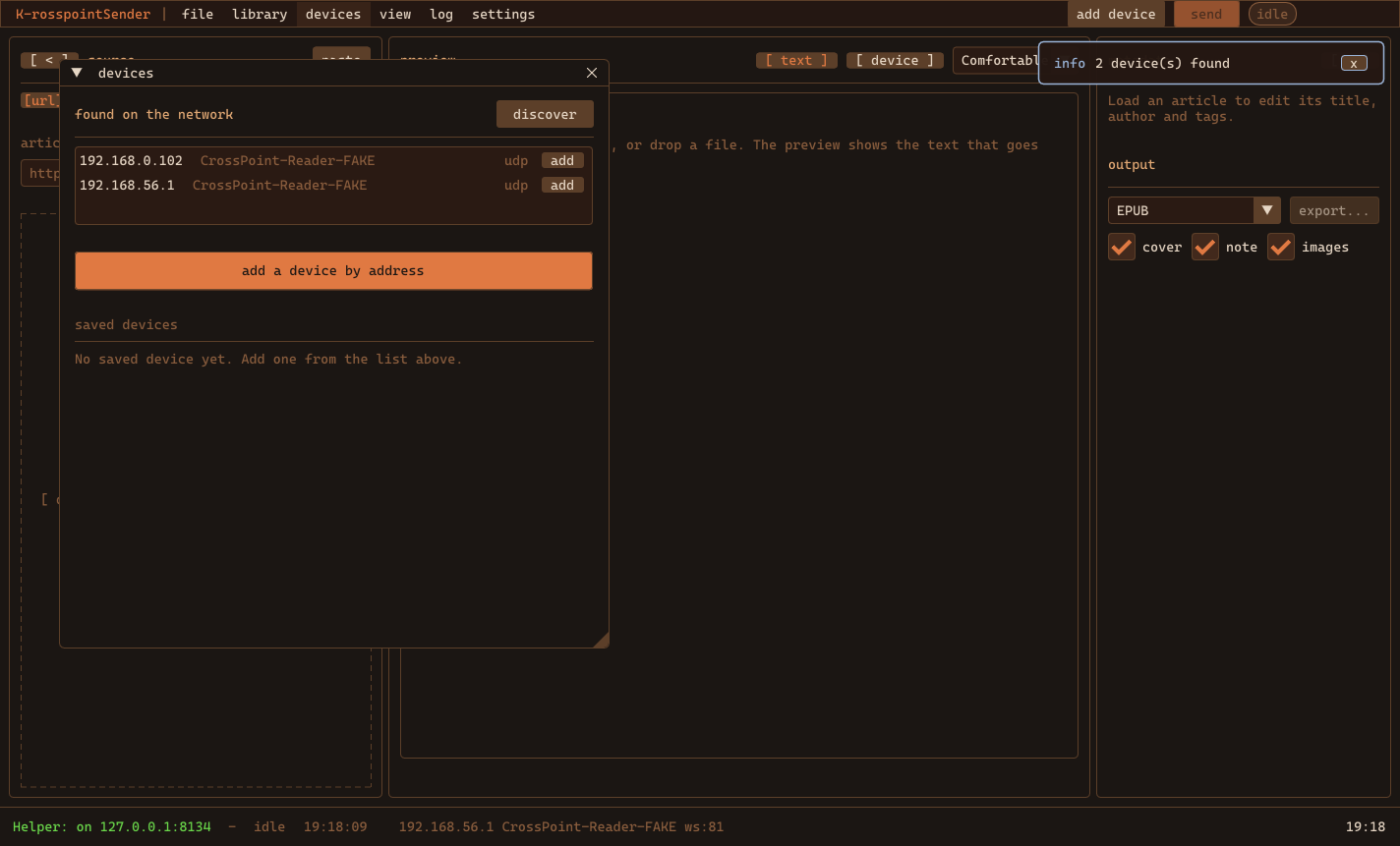
Sending. CrossPoint's documented API, all of it: multipart HTTP upload (default), WebDAV, and the WebSocket upload with progress. Folder browser for the card. A test-connection step, a test EPUB, and status that never fails silently. USB folder write and plain download for everything else. A mock Bluetooth transport sits there with a protocol draft, waiting for a firmware that speaks it.

the desktop app's devices window

Library. Every converted article and pack is kept with its transfer history, so you can re-export or re-send without fetching again, or bundle several articles into one book so the reader isn't littered with ten tiny files.

## // GET IT //

The web app is at k-engine.org/sender/; there's also a single-file copy below you can save and open offline. The desktop build is portable: unzip and run krosspoint_sender.exe, keep the DLLs next to it. It has a command line too — --convert, --pack, --send, --discover — for scripts and cron jobs. Source for both is on GitHub under the MIT license.

// RELEASES //

v1.0.0

First release. The web app is live at k-engine.org/sender/; the file above is the same page for saving and opening offline. Opened from your disk it is not https, so it can send to the reader over Wi-Fi directly. Source for both apps is on GitHub.

Web app

- Inputs: website URL, Wikipedia URL or title, pasted HTML, pasted text, Markdown and TXT, local HTML files, drag-and-drop, and a bookmarklet for pages the browser cannot fetch directly. - Readability-style cleanup, a Wikipedia mode, and an allowlist sanitizer. - EPUB with cover page, table of contents, source note and metadata; four e-ink presets; HTML, TXT, Markdown and ZIP output too. - Spider packs: scan the links of a Wikipedia article, pick pages, build one EPUB with working internal links and an attribution page. - Transfers: CrossPoint HTTP upload, WebDAV, WebSocket upload with progress, USB folder write (Chrome and Edge), download, OPDS package. - Device profiles with a setup wizard and a folder browser for the card. Library with transfer history, re-export and bundles. All in IndexedDB.

Desktop app (Windows)

- Same pipeline, native: fetches any URL, finds the reader on the LAN, sends over Wi-Fi with no browser limits, drag-and-drop and clipboard paste of a copied page. - Acts as the local helper for the web app on 127.0.0.1:8134. - Resizable columns, Korra Dark and Paper Light themes plus user theme files, crisp system font, UI scale, rebindable shortcuts, settings search. - Command line: --convert, --pack, --send, --discover.

Unzip and run krosspoint_sender.exe; keep the DLLs next to it. Settings, device profiles and the library live in %APPDATA%\krosspoint-sender.

First run on Windows. The build isn't code-signed, so SmartScreen may warn "Windows protected your PC." Click More info -> Run anyway. To verify the download, check its SHA-256 against the hash above:

Get-FileHash .\krosspoint-sender-1.0.0-win64.zip -Algorithm SHA256
filetypesize
krosspoint-sender-1.0.0-win64.zip sha256 57a187d4351e8b170c0dbc49bf62ecf507e9735825d2160673d6a5e4c8af9511 Windows desktop (portable) 7.0 MB
krosspoint-sender-1.0.0-web.html sha256 1fff6b5d5596fb1a62a573c479872240bca90546eb10fb7dc9aee5fc98ada2af Web app (single file, offline copy) 434 KB

// K-ROSSPOINTSENDER DEVLOG

all entries →