v1.0.0
First public release. Windows (x64) and macOS (Apple Silicon) builds are up; a Linux build of the same v1.0.0 will be added under this entry once it's cut. MIT licensed; full source on GitHub.
What's in it
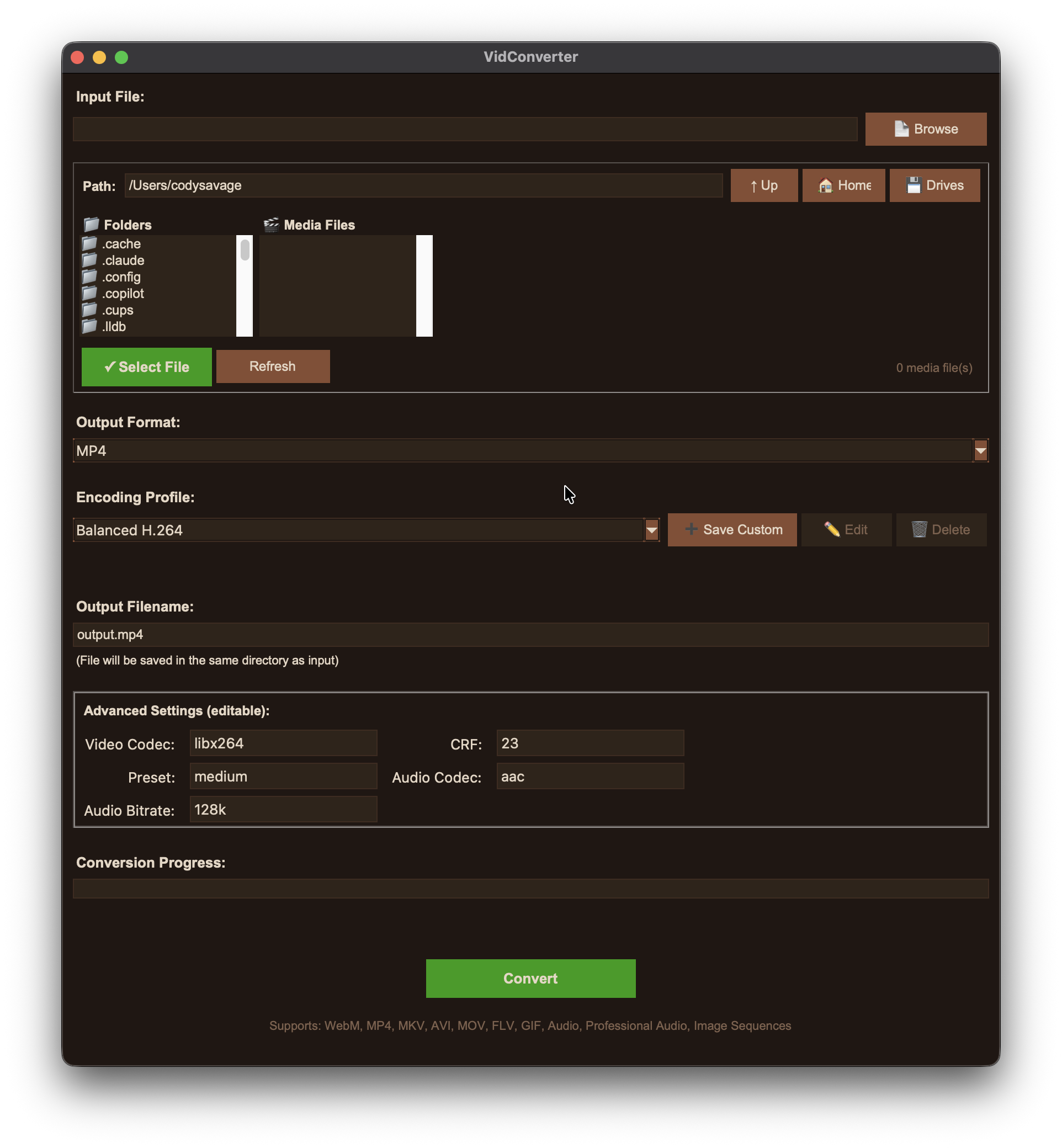
A FFmpeg front-end with a Tk GUI and a matching CLI. Convert to WebM, MP4, MKV, MOV (incl. ProRes), AVI, FLV, animated GIF, audio-only (MP3 / AAC / FLAC / WAV), professional audio (AIFF, 24-bit / 32-bit-float WAV), and TIFF/PNG image sequences. Tuned quality profiles per format (High / Balanced / Fast + format-specific specials), plus savable custom profiles and a manual codec/CRF/preset panel. Batch conversion via shell globs or a JSON manifest, a built-in file browser, live progress, and a companion yt_fetch CLI that pulls videos by URL through yt-dlp and converts them in one step.
Install
Windows — unzip VidConverter-1.0.0-win64.zip anywhere and run VidConverter.exe. It's portable; nothing is written to Program Files and settings live in settings.json next to the exe. FFmpeg must be on your PATH — winget install Gyan.FFmpeg, or grab a build from gyan.dev and add its bin\ folder to PATH. The build is unsigned, so the first launch may trip SmartScreen — click More info → Run anyway. To verify the download, check its SHA-256 against the hash listed above:
Get-FileHash .\VidConverter-1.0.0-win64.zip -Algorithm SHA256The companion yt_fetch YouTube-downloader CLI is the separate optional download above — it bundles yt-dlp, with the same FFmpeg-on-PATH requirement.
macOS — unzip and drag VidConverter.app to Applications. The first launch is unsigned, so right-click → Open (or clear the quarantine flag) to get past Gatekeeper. FFmpeg must be installed on the system — brew install ffmpeg. Settings are stored under ~/Library/Application Support/VidConverter/.
Run from source instead (any platform): clone the repo and python vidconverter.py. Zero Python dependencies beyond the standard library; FFmpeg does the encoding.
| file | type | size |
|---|---|---|
| VidConverter-1.0.0-win64.zip sha256 cd49d50411afcfa983f37c0198fd847cbfe2badb8e2d9781da2c139d18b3bc59 | Windows · x64 (portable) | 10.3 MB |
| VidConverter-1.0.0-macos.zip | macOS App · Apple Silicon (arm64) | 9.5 MB |
| VidConverter-yt_fetch-1.0.0-win64.zip sha256 d1e377eafa7e15c50ad8ea1ca654959d50ad5326069ce524f4ebf576226b3dd4 | yt_fetch CLI · Windows x64 (optional) | 22.6 MB |